
Drone Checklist Design Tips for High-Pressure Missions
High-pressure missions expose every weak point in your drone checklist: a utility outage with crews waiting, a live incident scene, a narrow survey weather window or an inspection close to controlled airspace. In those moments, a checklist that reads well in the office can fail in the field if it is too long, vague or hard to share across the crew.
The aim is not to add paperwork. It is to create a compact decision aid that protects safety, compliance and mission quality when time is short. Good checklist design reduces memory load, makes stop/go decisions visible and helps everyone understand what must happen before the aircraft leaves the ground.
Build a drone checklist around mission phases
A single long pre-flight form is easy to write and difficult to use under pressure. High-tempo work needs phase gates, each one focused on the decision that must be made at that point. This keeps the crew from scanning irrelevant items while the situation is changing around them.
A practical drone checklist should move with the mission, from tasking and site arrival through launch, on-task operations, contingencies, recovery and close-out. Each phase should end with a clear confirmation: continue, hold, change the plan or stop.
| Mission phase | Design purpose | Example prompt |
|---|---|---|
| Tasking | Confirm the job is valid and understood | Client, asset, location and objective confirmed |
| Site arrival | Check conditions match the plan | Take-off area, access, people and hazards reviewed |
| Launch | Prevent rushed departures | Crew roles, aircraft status and emergency actions confirmed |
| On-task | Maintain control during workload peaks | Battery, link quality, airspace and mission progress monitored |
| Contingency | Make abnormal actions fast and consistent | Lost link, flyaway, weather change and incursion actions known |
| Close-out | Capture evidence and lessons | Flight log, defects, client notes and debrief completed |
Use cold checks and hot checks
Not every item belongs at the launch point. Move tasks that can be completed earlier into a cold check, such as client details, pilot allocation, aircraft selection, permissions, method statements and standard risk controls. The hot check, done shortly before flight, should focus on items that can change quickly: wind, visibility, people nearby, airspace status, battery condition, GNSS quality and crew readiness.
This split matters for emergency services, utilities and survey teams because the person under most pressure should not be forced to reread background admin while making safety-critical decisions.
Write prompts for decisions, not memory tests
Weak checklist items ask people to remember what “safe” means. Strong items define what acceptable looks like, so the operator can make a consistent decision even when the client, incident commander or site manager is pushing for speed.
For example, “check weather” is too loose. “Wind within aircraft and operator limits, forecast reviewed for mission duration” is better because it tells the remote pilot what decision must be made. A drone checklist should turn judgement into structured prompts without removing the pilot’s authority to stop the job.
| Vague item | Better item |
|---|---|
| Check batteries | Batteries charged, undamaged, seated and appropriate for expected flight time |
| Check area | Take-off and landing area clear, controlled and briefed to crew |
| Check comms | Pilot, observer and client contact method tested before arming |
| Check route | Planned route, return path and emergency landing options confirmed |
| Check payload | Payload fitted, calibrated where needed and suitable for mission objective |
Make stop/go wording impossible to miss
High-pressure checklists should use plain operational language. Avoid passive wording such as “weather considered” or “airspace reviewed”. Use active confirmations such as “hold launch if uninvolved people enter the operating area” or “do not arm until observer confirms landing zone is clear”.
For crewed missions, challenge and response can help. One person reads the item, another confirms the condition. This is especially useful for night work, inspection near infrastructure and emergency response where the remote pilot may be focused on the controller, aircraft status and live video feed at the same time.
Connect checklist items to risk and regulation
A checklist is not a replacement for a risk assessment. It is the field execution layer that confirms the risk controls are actually in place. If the risk assessment says the crew will maintain a cordon, brief a spotter or use a defined lost-link action, the checklist should ask for that control at the right point in the mission.
If you are refining this part of your process, Dronedesk has a separate guide on building a drone flight risk assessment that works. Use that deeper assessment to define the controls, then make the field checklist confirm them.
Regulatory items should be based on official sources, not copied from old templates. UK operators should check the Civil Aviation Authority drone guidance, US operators should refer to the FAA Part 107 page and European operators should use EASA drone regulation guidance. If your operation needs an authorisation, specific category approval or a formal operating safety case, build those verified conditions into your own controlled procedures.
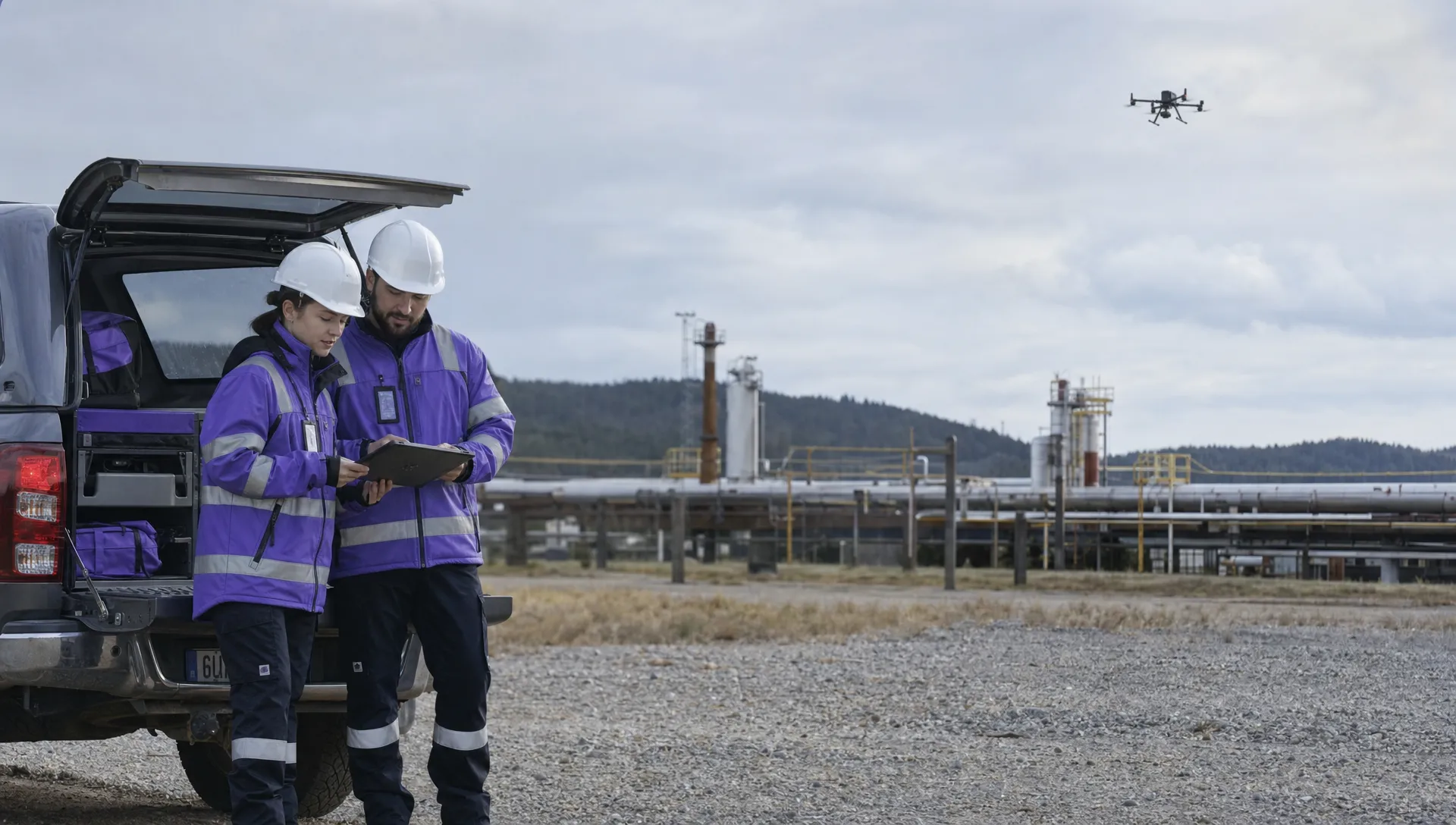
Design for the mission type, not the template
The same structure can support many jobs, but the content should change with operational risk. A roof survey, an overhead line inspection and an emergency search do not need identical prompts. They need a shared standard with mission-specific checks added where they genuinely reduce risk.
For survey companies, the drone checklist should protect data quality as well as safety. Prompts might cover coordinate reference system, ground control, RTK or PPK status, overlap settings, camera angle, storage capacity and agreed deliverables. A technically safe flight can still be a failed job if the dataset is unusable.
Utility teams often need stronger site-control prompts. The checklist may need to confirm asset identity, landowner or site access, permit-to-work requirements, electromagnetic interference concerns, exclusion zones and emergency landing options away from plant, roads or overhead conductors.
Emergency services need speed, but speed must not mean improvisation. Their checklist should prioritise tasking authority, airspace deconfliction, communications with incident command, privacy considerations, cordon awareness, handover between crews and how imagery or logs will be retained after the incident.
Keep specialist modules short
A common mistake is to build a separate full checklist for every aircraft, payload, client and mission type. That quickly becomes unmanageable. A better pattern is a stable core checklist with short modules for specific scenarios such as thermal search, confined sites, mapping, night operations or inspection near critical infrastructure.
Each module should contain only the items that are different from normal operations. If the same item appears everywhere, move it back into the core.
Digitise only where it improves control
Paper checklists still work in some environments, but they are easy to lose, hard to update and difficult to audit across a growing team. Digital checklists help when they make the current approved version available, connect checks to the job and preserve a record of what was completed.
This is where a platform can reduce friction without weakening operational discipline. Dronedesk’s features include configurable checklists, risk assessments, flight planning, flight logging, data reporting, airspace intelligence, proximity intelligence and management tools for clients, fleets and teams. Used well, those features let operators standardise the checklist process while still adapting it to the mission.
A digital drone checklist should not become a box-ticking exercise. Keep the wording operational, require meaningful confirmation where needed and make it easy for pilots to raise a defect, note a change or stop a mission without feeling they are fighting the system.
Version control matters under pressure
High-pressure teams cannot afford uncertainty over which PDF, spreadsheet or printed sheet is current. Assign ownership for each checklist, set review intervals and record why changes were made. After an incident, near miss, aircraft change or client requirement change, review the affected checklist before the next similar job.
This is particularly important for multi-pilot teams. A new pilot should not discover local operating assumptions through word of mouth at the launch point.
Close the loop with logs and debriefs
Checklist design improves fastest when it is tested against real missions. After the flight, compare the checklist with what actually happened. Which items were skipped because they were unclear? Which prompts caught a genuine issue? Which items added noise without helping the decision?
Your drone checklist should also support post-flight evidence. At close-out, confirm flight logs are saved, defects are recorded, batteries are marked for any required follow-up and client deliverables are backed up. If you work with DJI aircraft and need to inspect flight data, Dronedesk also offers a DJI flight log analysis tool that can help review logs outside the pressure of the field environment.
A short debrief is enough for most routine missions. Ask what changed, what surprised the crew and what should be amended before the next flight. For complex missions, record decisions made under pressure, especially any launch holds, airspace changes, crew handovers, equipment warnings or client-driven changes to the plan.
Avoid these high-pressure checklist mistakes
Many checklists fail because they are designed for audit comfort rather than operational use. Compliance evidence matters, but a field checklist must first help people make safe decisions at speed.
Avoid these patterns when designing or reviewing your process:
- Items that say “check” without defining the acceptable condition
- Long blocks of text that cannot be scanned outdoors
- Duplicate prompts spread across multiple documents
- Checklists that ignore observer, payload operator or incident command roles
- Templates that do not change for weather, airspace, people, payload or mission type
- Mandatory ticks for items that are not relevant to the task
- No route for the pilot to record a hold, change or abort decision
The best field documents are usually shorter than teams expect. They do not capture every policy detail. They point the crew to the critical decisions that must be confirmed before, during and after flight.
Frequently Asked Questions
How long should a drone checklist be for a high-pressure mission? It should be as short as possible while still covering the decisions that can affect safety, legality and mission success. Split it into phases so the launch section stays focused on time-sensitive items.
Should emergency drone teams use different checklists from commercial survey teams? Yes, at least in the mission-specific modules. Both need a shared core for aircraft, crew, weather and airspace, but emergency work usually needs stronger prompts for tasking authority, communications, cordons and data handling.
Is a checklist the same as a risk assessment? No. The risk assessment identifies hazards and controls. The checklist confirms those controls are in place at the right time during the mission.
Who should own checklist updates in a drone team? Assign one accountable operations lead or safety lead, but collect feedback from pilots, observers, payload operators and managers. The owner should review changes after incidents, near misses, equipment changes and regulatory updates.
Build checklists that hold up in the field
A strong drone checklist is not judged by how comprehensive it looks on a laptop. It is judged by whether it helps a crew make calm, consistent decisions when the weather shifts, the client is waiting or the incident scene is moving quickly.
Start with your highest-pressure mission type. Break it into phases, remove vague prompts, add clear stop/go criteria and connect each item to a real operational risk. If your team has outgrown scattered documents, Dronedesk can help centralise the planning, checklist, risk assessment and logging workflow in one place without turning field operations into paperwork for its own sake.
 Drone Regulations Under 250 Grams for Mixed-Weight Fleets →
 Drone Safety Guidelines for Working Near Water →
 FAA Rules and Regulations for Drones on Shared Worksites →
 Drone Pilot 107 Refresher Training After a Career Break →
 How to Track Drone Regulations Worldwide as a Business →
 FAA Rules for Flying Drones at Night During Emergency Missions →
 How to Onboard an FAA 107 Pilot for Utility Inspections →
 FAA Drone Rules for Commercial Use on Construction Sites →
 When Should You Retire a Commercial Drone? →
 Drone Fleet Management Software - The Platforms That Failed, and the Ones Still Flying →